
How Feato works
Feato provides a simple workflow for managing feature flags across applications and services — from configuration to delivery.
1. Create a project
Every Feato workflow starts with a project. A project represents a single application or service and defines isolated environments.
Environments allow you to control feature exposure independently across development, staging, and production.
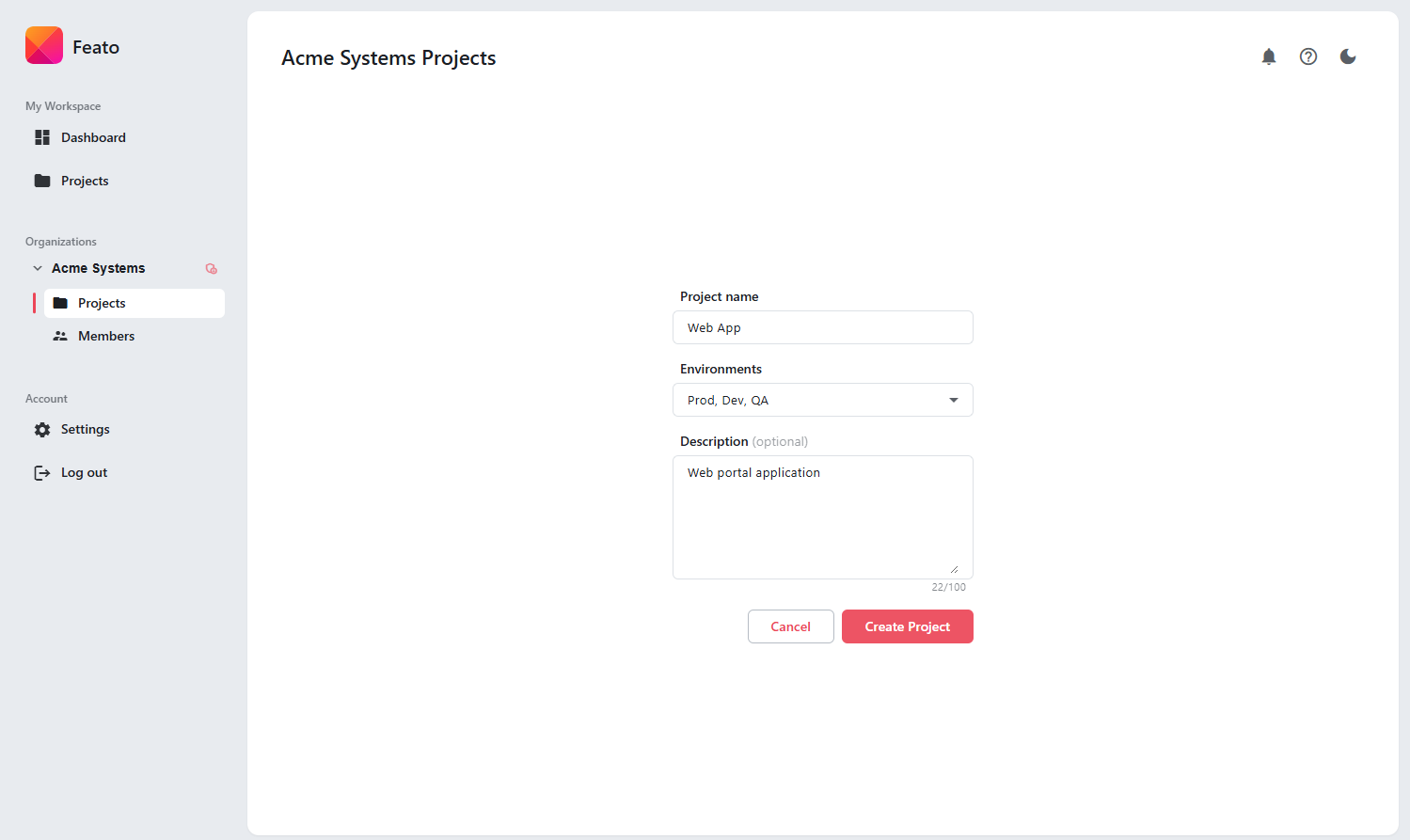
Create a project and define isolated environments.
2. Define feature flags
Feature flags are first-class entities in Feato. Each flag represents a single capability or behavior that can be enabled or disabled independently.
Clear naming and descriptions make it easy to understand the purpose of each flag across teams.
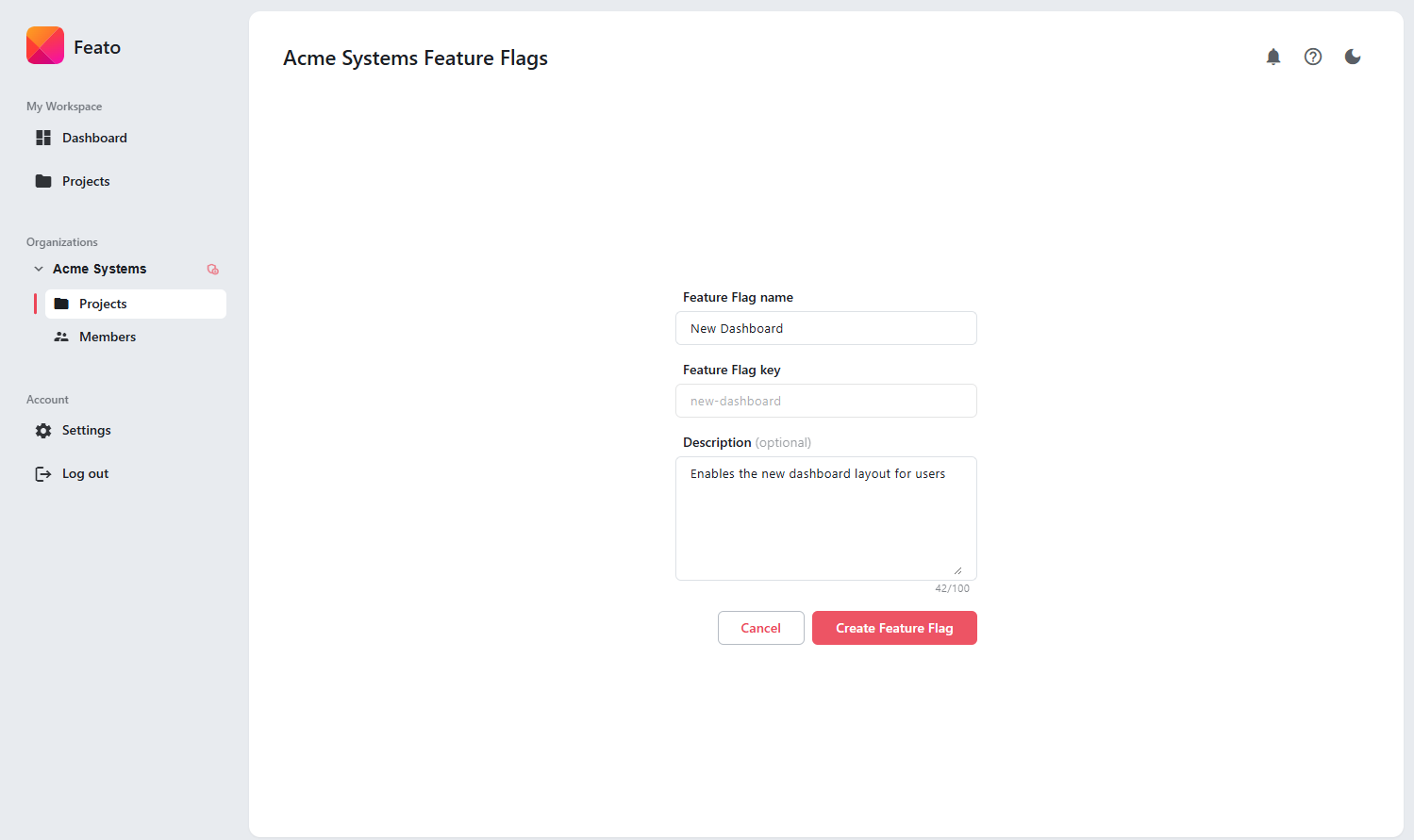
Define feature flags with clear intent and ownership.
3. Control behavior
Feature flags can be enabled or disabled at any time for a specific environment.
Applications consume the current flag state and adapt their behavior accordingly.
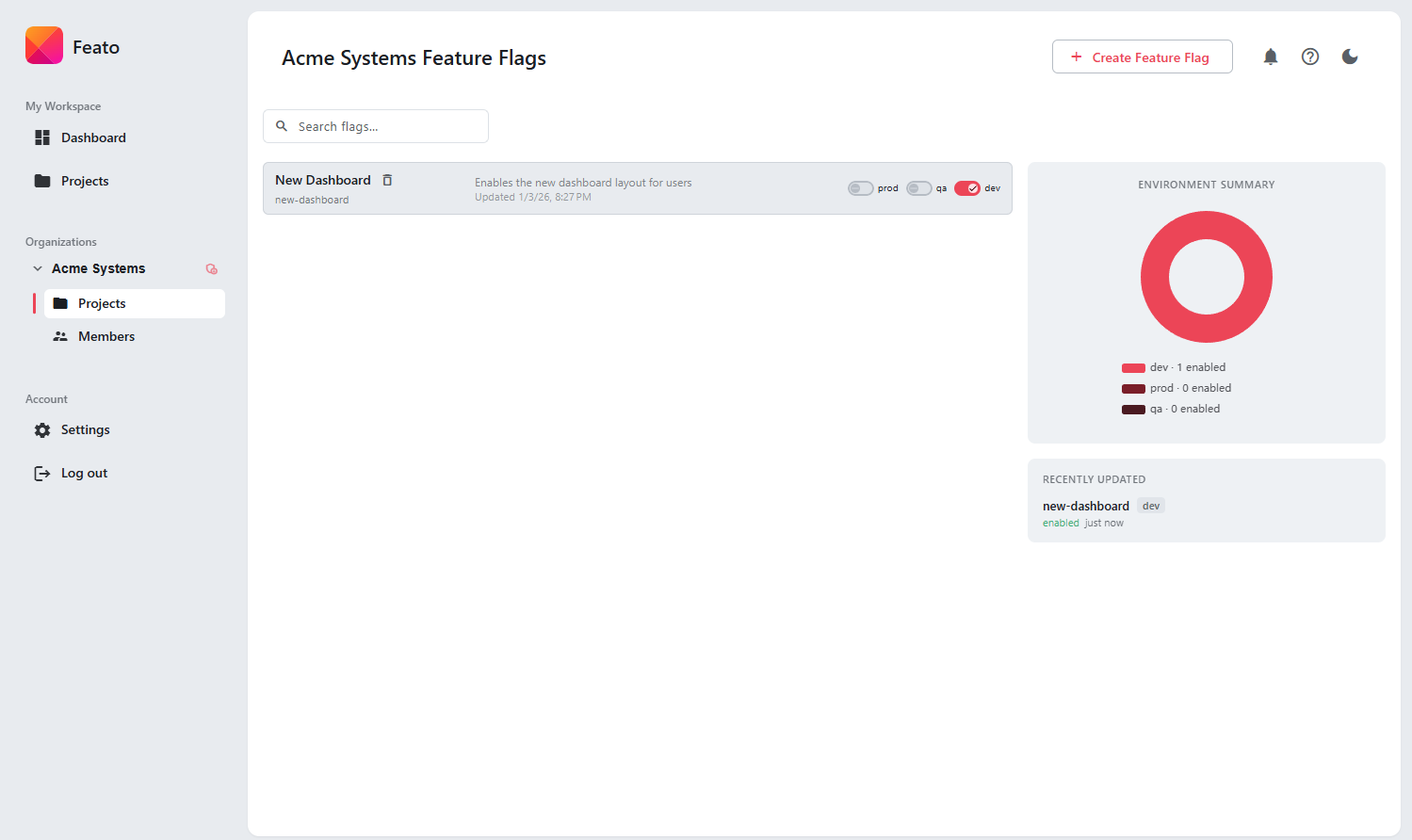
Change feature availability without redeploying applications.
Delivery model
Feato delivers feature flag configuration to applications using a lightweight delivery mechanism appropriate for each integration.
- Client SDKs keep flag state up to date automatically
- Backend services retrieve flag state via HTTP
- No polling logic required in application code
This approach keeps application logic simple and avoids unnecessary infrastructure complexity.
Safety and failure handling
Feato is designed to fail safely and predictably under all conditions.
- Temporary connectivity issues do not break applications
- Last known flag state is preserved
- Blocked projects resolve flags to safe defaults
Feature flags never become a single point of failure in production.